Introduction
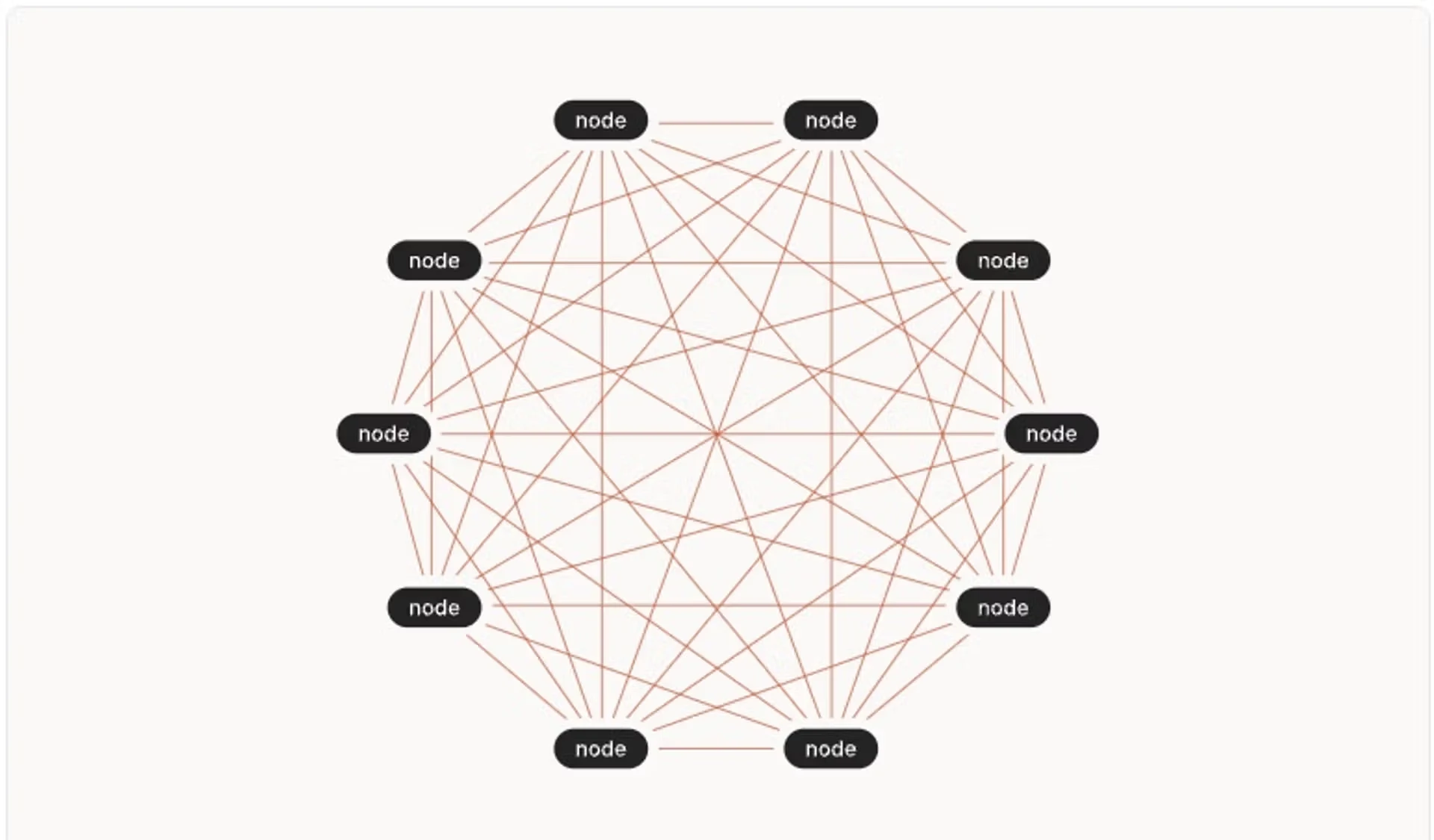
Mesh networks have become a cornerstone of modern distributed infrastructure, particularly in environments where resilience, scalability, and secure connectivity are essential for cost-effective operations across diverse IT landscapes. By interconnecting every node with several peers, mesh architectures enable multiple data paths, minimising single points of failure and automatically supporting disaster recovery, even if individual links or nodes go offline, communication remains uninterrupted. This resilience helps meet the demands of organisations requiring strong regulatory compliance and business continuity across cloud, hybrid, and remote environments.
Our customers also seek to simplify operational complexity and lower total cost of ownership. Mesh networks, combined with secure overlay technologies, deliver agility and robust security for multi-cloud, on-premises and hybrid networks. Solutions like WireGuard have risen to prominence by providing direct, peer-to-peer encrypted tunnels between every node, ensuring that all network traffic is protected end-to-end. WireGuard’s lightweight, kernel-level implementation uses modern cryptography to achieve regulatory-compliant security, while its minimal, efficient design reduces overhead and maintenance. This is exceptionally valuable for DevOps and SRE teams that demand scalable, resilient, and secure operations without the legacy complexity or cost of traditional VPNs.
Why Mesh Networks?
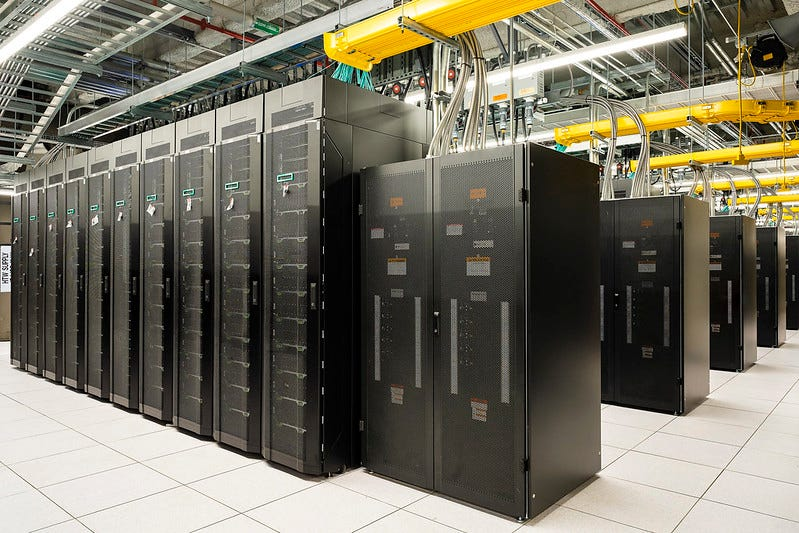
When your network architecture spans multiple data centres, particularly with a mesh topology, you gain a substantial advantage in fault tolerance and service reliability. By interconnecting nodes across different physical locations, whether these are smaller European clouds, bare-metal providers, or your own facilities, you enable traffic to reroute dynamically in the event of hardware failures, connectivity losses, or scheduled maintenance. The mesh approach means that no single node or link becomes a critical dependency, so any disruption in one data centre does not translate to total loss of connectivity or service, as other nodes can pick up the slack and maintain continuity.
If you read my previous blog posts, you’ll know Digitals.IO is very much in favour of using small European cloud and baremetal providers instead of the hyperscalers, as they offer a much more competitive price and crucially, they adhere to GDPR much better.
.webp)
When you integrate a mesh network overlay—using tools like WireGuard—across these varied environments, you eliminate the typical silos that might otherwise exist between diverse infrastructures. Nodes in every location become equal participants, each capable of securely and efficiently exchanging data with their peers. This cohesive, robust network makes previously complex geographic failover scenarios far easier to manage. It also allows organisations to mix and match providers, blend public and private resources, and even integrate legacy on-premises hardware—all while maintaining strong encryption, simplified routing, and dramatically improved resilience against regional outages or provider-unique faults. The end result is not just improved tolerance to failures, but also better flexibility and compliance in a rapidly evolving regulatory and business landscape.
I want to talk specifically about using a mesh network to create a highly distributed application. This is particularly beneficial for applications that are clustered by nature, such as:
- Apache Cassandra
- Apache Kafka
- Kubernetes
Tools for the job
Creating a WireGuard tunnel between two nodes is dead easy. You can just follow the quick start instructions, and you’ll be there. However, to create a mesh, it’s a bit more complex as you’ll need to manage a large number of nodes. Ideally, you want this automated so that when a node is provisioned, it will automatically join the mesh network.
The best tools I found for creating mesh networks usually have a management server in charge of controlling registrations and nodes leaving the mesh, plus a client tool that nodes use to join the mesh.
You can find both commercial and open source offerings for this.
.webp)
I would like to demonstrate how easy it is to set up a mesh. I’m going to walk you through the steps to create a simple Kubernetes cluster that expands three servers: two in Helsinki and another in Munich.
Kilo and Netbird offer Kubernetes native solutions. However, as I usually have a mixed environment with baremetal, VMs and Kubernetes, I prefer not to use these solutions.
Demo: Building a Secure Mesh with WireGuard & Headscale
For my demo, I’m using Headscale which is an Open Source implementation of Tailscale’s coordination server. It’s very simple to install and use, ideal for me because I manage everything with automation (Ansible) and I don’t care about Web UI or complex installations.
Coordination Server
Download and install the latest version of Headscale:
The configuration file, /etc/headscale/config.yaml needs tweaking a tiny bit for this demo. I only needed to change the IP address from 127.0.0.1 to my server IP.
sed -i 's/127.0.0.1/my.server.ip/g' /etc/headscale/config.yaml
sudo systemctl enable --now headscale
Remember, this is for demo purposes only. In a real-world deployment, you must configure TLS, subnets, etc
Now, create a user and a preshared key:
root@server00:~# headscale users create automation
User created
root@server00:~# headscale user list
ID | Name | Username   | Email | Created
1  |      | sergio     |       | 2025-08-15 10:22:00
2  |      | automation |       | 2025-08-15 12:57:33

root@netbird-server00:~# headscale preauthkeys create --user 2
2025-08-15T13:00:04Z TRC expiration has been set expiration=3600000
5c0424b7d4df338489b4a48...
The server side is ready. Now, we just need to join clients.
Clients
If you do a manual installation, you can do:
root@client01:~# apt-get update && apt-get -y install curl
root@client01:~# curl -fsSL https://tailscale.com/install.sh | sh
root@client01:~# tailscale up --auth-key=5c0424b7d4df338489b4a48... \
  --login-server http://135.xxx.xxx.21:8080
However, you want to do this automatically through something like cloud-init or Ansible. Therefore, just put it into a script and attach it to the VM’s cloud-init config when you create it, or use an Ansible playbook for it.
---
- name: Install and configure Tailscale
  hosts: all
  become: yes
  vars:
    head_key: YOUR_PREAUTH_KEY
    head_url: http://YOUR_SERVER_IP:8080
  tasks:
    - name: Install Tailscale
      shell: curl -fsSL https://tailscale.com/install.sh | sh
      args:
        creates: /usr/bin/tailscale

    - name: Join the mesh network
      shell: "tailscale up --auth-key={{ head_key }} --login-server={{ head_url }}"
      args:
        creates: /var/lib/tailscale/tailscaled.state
Deploying Distributed Kubernetes
Our mesh is up and running. Now, let’s deploy an application that spans all clients to confirm it works. I decided to use the k3s implementation of Kubernetes that is very simple to deploy and it’ll allow me to create a cluster with a single command and then join the nodes.
Control Plane
My control plane is on 100.64.0.2. I’m going to install k3s on it using the command below to bind the Kubernetes interface to just the tailscale IP address:
curl -sfL https://get.k3s.io | \
  INSTALL_K3S_EXEC="--node-ip=100.64.0.2 --flannel-iface=tailscale0" sh -
Once it completes (it should be very quick), obtain and save the K3S_TOKEN you’ll need for the next step:
cat /var/lib/rancher/k3s/server/node-tokenWorker Nodes
I have two worker nodes to be created: 100.64.0.2 and 100.64.0.3. The command is the same for all except for the node-ipvalue.
curl -sfL https://get.k3s.io | \
  INSTALL_K3S_EXEC="--node-ip=REPLACE-WORKER-IP --flannel-iface=tailscale0" \
  K3S_URL=https://100.64.0.2:6443 \
  K3S_TOKEN="REPLACE-K3S-TOKEN" sh -
Results
It could not have been easier!
.webp)
There you are, a Kubernetes cluster that spans two different countries in minutes.
.webp)
Final words
In the olden days, connecting two nodes over the internet was too slow to be of any issue. This is not the case anymore. Most cloud providers will offer suitable bandwidth speeds, allowing you to create a working mesh.
The world just got a little bit smaller.
Contact our team for a free consultation to discuss how we can tailor our approach to your specific needs and challenges.
I, for one, welcome our new robot overlords