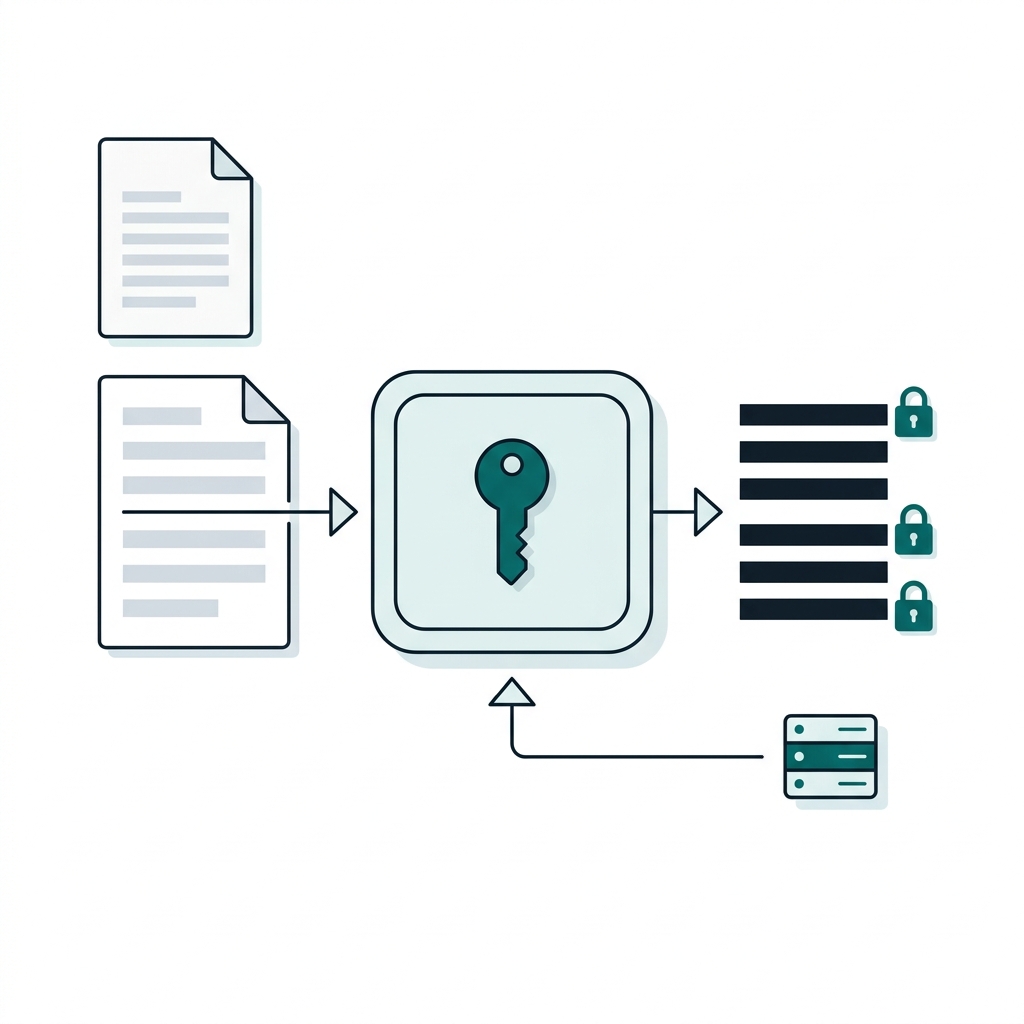
A .env file is a plaintext secret that gets copied everywhere
For a long time I had a directory on my laptop with more .env files in it than I would like to admit. There was one per customer and project, each with the credentials I needed to do my job. They held pretty much anything from cloud provider keys to API keys for the many services we use. The disk was encrypted and I told myself that was enough. When I stopped being comfortable with it I started using gnupg to encrypt and decrypt them. The problem was that I often forgot to encrypt them again at the end of the day.
That is the real issue with .env files. The format is fine and every framework reads it. The problem is that the file is plaintext and gets copied everywhere, and .gitignore is the only thing standing between it and your commit history. When it does leak you usually find out from a scanner or a bill.
We already use OpenBao for dynamic database credentials, which we wrote about in Dynamic credentials with OpenBao and Vault. Not every secret can be dynamic though. A third party API key or a licence string is static by nature and for those we have two options. We either keep the value in OpenBao and put a reference to it in the file, or we encrypt the value and keep the ciphertext in the file. This post is mostly about the second one, which is what the Transit engine is for, but we will point out where the first is simpler.
Transit is encryption as a service, and the key never leaves OpenBao
Transit is encryption as a service. You create a named key inside OpenBao, send it plaintext and get ciphertext back or the other way round. The key material is never returned to the client. A compromised application can only decrypt what its policy allows and only for as long as its token lives, and every request lands in the audit log.
Setting it up takes two commands:
bao secrets enable transit
bao write -f transit/keys/myapp
Transit expects the plaintext base64 encoded, which is why you will see base64 in every example below.
Encrypt each value, not the whole file, so pull requests stay reviewable
We prefer to encrypt each value on its own rather than the whole file. That keeps the file readable so a reviewer can still see which variables changed in a pull request without seeing what they changed to.
Given a normal file:
# myapp configuration
DATABASE_URL=postgres://app:s3cr3t@db.example.com:5432/app
STRIPE_API_KEY=sk_test_not_a_real_key
LOG_LEVEL=info
The env-seal script walks it line by line and replaces each value with its ciphertext. The plaintext goes to bao on standard input (plaintext=-) so it never appears in the process list:
#!/usr/bin/env bash
# Usage: env-seal <key-name> < .env > .env.sealed
set -euo pipefail
key="${1:?usage: env-seal <key-name> < .env}"

while IFS= read -r line || [[ -n "$line" ]]; do
  if [[ -z "$line" || "$line" == \#* || "$line" != *=* || "${line#*=}" == vault:v* ]]; then
    printf '%s\n' "$line"
    continue
  fi
  ct=$(printf '%s' "${line#*=}" | base64 | tr -d '\n' |
       bao write -field=ciphertext "transit/encrypt/${key}" plaintext=-)
  printf '%s=%s\n' "${line%%=*}" "$ct"
done
The script is deliberately simple. It treats everything after the first = as the value, so it does not strip quotes or an export prefix. Keep the file to plain KEY=value lines. It also encrypts every value, including harmless ones like LOG_LEVEL, so nobody has to decide what counts as a secret.
The output is safe to commit:
# myapp configuration
DATABASE_URL=vault:v1:Vux8Ndin12BCwbNM47LB2pWt3zX2I03TlNopSosrOf0hwGjFwDmbWHg14LrEmWvXq0EFM3kt7pPqglrgaS4zrnnt1Tre8uP0Vw==
STRIPE_API_KEY=vault:v1:Uf68GHlv7gU/xRfG9PkQap5twV67Y8VdScweUF4fDW7iMgJ39tnLsuc210wbat4/dWY=
LOG_LEVEL=vault:v1:r4+fR7Yf7RO8SX+Jn5SuZvIzNxWKoqEPtwYDw5CCu58=
The v1 is the key version that produced it and it matters later when we rotate.
Decrypt at start-up and exec the application, with no code change
On the other side env-open reads the sealed file, decrypts each value, exports it and then execs your process. The application reads its environment exactly as it did before and needs no code change:
#!/usr/bin/env bash
# Decrypt a sealed .env file into the environment and exec the command.
# Usage: env-open <key-name> <file> -- <command> [args...]
set -euo pipefail
key="${1:?usage: env-open <key-name> <file> -- <command>}"
file="${2:?usage: env-open <key-name> <file> -- <command>}"
shift 2; [[ "${1:-}" == "--" ]] && shift

if [[ -z "${BAO_TOKEN:-}" && -n "${BAO_ROLE_ID:-}" ]]; then
  BAO_TOKEN=$(bao write -field=token auth/approle/login \
    role_id="$BAO_ROLE_ID" secret_id="$BAO_SECRET_ID")
  export BAO_TOKEN
  unset BAO_SECRET_ID
fi

while IFS= read -r line || [[ -n "$line" ]]; do
  [[ -z "$line" || "$line" == \#* || "$line" != *=* ]] && continue
  name="${line%%=*}"
  value="${line#*=}"
  if [[ "$value" == vault:v* ]]; then
    value=$(bao write -field=plaintext "transit/decrypt/${key}" \
            ciphertext="$value" | base64 --decode)
  fi
  export "$name=$value"
done < "$file"

exec "$@"
You can use it as a container entrypoint or in front of a local command:
env-open myapp .env.sealed -- ./myapp
The script makes one request per variable, which is fine for a typical .env file. For files with many variables, transit/decrypt also accepts a batch_input list so you can decrypt everything in a single request.
The application needs a token to decrypt with. For a VM or a CI runner AppRole is the usual choice, and the script logs in by itself when it finds BAO_ROLE_ID and BAO_SECRET_ID in the environment:
bao auth enable approle
bao write auth/approle/role/myapp \
  token_policies=myapp-decrypt token_ttl=15m token_max_ttl=1h secret_id_ttl=24h
On Kubernetes we use the Kubernetes auth method instead. It exchanges the pod's service account token for an OpenBao token, so you no longer have to worry about how the secret ID got there in the first place:
bao write -field=token auth/kubernetes/login role=myapp \
  jwt=@/var/run/secrets/kubernetes.io/serviceaccount/token
What this does not protect
Once the process starts the plaintext is in its environment and anyone who can read /proc/<pid>/environ as that user can read it too. What changes is everything before that moment. The repository, the image, the CI cache and the laptop backup now only ever hold ciphertext.
If the secret can live in OpenBao, reference it with vals instead
If env-open reminds you of vals exec that is not a coincidence. vals is one of our favourite tools and we use it all the time. It does the same job the other way round. The secret stays in the OpenBao KV engine and the file only holds a reference to it. vals reads YAML rather than the KEY=value format so the file looks like this:
# env.yaml
DATABASE_URL: ref+openbao://secret/myapp#/database_url
STRIPE_API_KEY: ref+openbao://secret/myapp#/stripe_api_key
LOG_LEVEL: info
bao kv put secret/myapp database_url='postgres://...' stripe_api_key='sk_test_...'
vals exec -f env.yaml -- ./myapp
There is nothing to encrypt and changing a secret is a bao kv put rather than a commit. Authentication works as above with BAO_TOKEN, AppRole or Kubernetes auth. On Kubernetes we go one step further with vals-operator. We wrote it to turn those same references into a Kubernetes Secret, keep it in sync and restart the workloads that use it when a value changes:
apiVersion: digitalis.io/v1
kind: ValsSecret
metadata:
  name: myapp
spec:
  name: myapp-env
  data:
    DATABASE_URL:
      ref: ref+openbao://secret/myapp#/database_url
  rollout:
    - kind: Deployment
      name: myapp
Split encrypt and decrypt into separate policies so nobody holds both
This is the main reason to use Transit rather than encrypting the whole file with a shared key. Encrypting and decrypting are separate paths so they can be separate policies:
bao policy write myapp-encrypt - <<'EOF'
path "transit/encrypt/myapp" {
  capabilities = ["update"]
}
path "transit/rewrap/myapp" {
  capabilities = ["update"]
}
EOF

bao policy write myapp-decrypt - <<'EOF'
path "transit/decrypt/myapp" {
  capabilities = ["update"]
}
EOF
Developers and the CI pipeline get myapp-encrypt. They can add or change a secret, rewrap existing values after a key rotation and commit the result, but if they try to decrypt they get permission denied. Only the running application holds myapp-decrypt. Use one key per application and environment because anyone with decrypt on a key can read everything that key has ever encrypted. You can split the vals approach the same way. A policy with only create and update on secret/data/myapp lets someone write a value they can never read back.
Rotate and rewrap the key without touching the application
Rotation adds a new key version and keeps the old ones:
bao write -f transit/keys/myapp/rotate
New encryptions now produce vault:v2:... while the v1 values in the file still decrypt, so nothing breaks. To move the file forward rewrap re-encrypts the ciphertext with the latest version entirely inside OpenBao. The plaintext never comes back to the client, which means a pipeline holding myapp-encrypt can do it with no decrypt permission at all:
bao write -field=ciphertext transit/rewrap/myapp ciphertext="vault:v1:..."
A loop like the one in env-seal can do this for every line. Once everything is on v2, stop OpenBao from decrypting anything older:
bao write transit/keys/myapp/config min_decryption_version=2
That setting can be lowered again by anyone allowed to change the key's config. To make an old leaked copy of the file permanently useless, trim the old versions so the key material itself is gone:
bao write transit/keys/myapp/trim min_available_version=2
You can also let OpenBao rotate the key on a schedule with auto_rotate_period=720h and rewrap in CI whenever you like.
The same engine handles field-level encryption, keyed hashes and signing
We see the same engine used for a few other jobs. Field-level encryption is the obvious one. The application encrypts a column such as a national insurance number before it reaches the database, so a database dump or a read replica only holds ciphertext.
transit/hmac/myapp gives you a keyed hash, which is useful when you need to look a value up or deduplicate it without storing it. With an ed25519 key transit/sign and transit/verify can sign build artefacts or webhooks without the signing key ever sitting on a build agent.
Default to vals, and use Transit only when data must live outside OpenBao
If the secret can simply live in OpenBao then keep it in the KV engine and use vals, or vals-operator on Kubernetes. That is simpler than anything else in this post and it is our default. Transit is for when the data has to live outside OpenBao. That could be a repository that travels somewhere OpenBao cannot be reached, a database column or a file that goes through someone else's pipeline.
| Tool | Where the secret lives | Use it for |
|---|---|---|
| vals / vals-operator | OpenBao KV engine. The file holds only a reference. | The default, whenever the secret can live in OpenBao |
| OpenBao Transit | Ciphertext in the file. The key stays in OpenBao. | Data that must live outside OpenBao: repositories, database columns, other people's pipelines |
| SOPS | Encrypted file, and it can use Transit as its key backend | Teams already using SOPS for YAML files |
| Sealed Secrets | Kubernetes Secret, decrypted by one cluster's controller by default | Kubernetes Secret objects only |
Sealed Secrets only works for Kubernetes Secret objects and by default ties decryption to one cluster's controller. vals-operator covers the same ground without a per-cluster key.
SOPS is the closest alternative to Transit and it can use Transit as its key backend (sops --hc-vault-transit), so the two are not really competitors. If your team already uses SOPS for YAML files you can point it at OpenBao and get the same access control and audit trail. vals can read SOPS files too through ref+sops://. If all you have is a .env file and a shell then the scripts here are shorter than learning SOPS.
Everything here works on HashiCorp Vault too
Everything above works against HashiCorp Vault. Replace bao with vault, BAO_ADDR with VAULT_ADDR and ref+openbao:// with ref+vault:// in vals. We ran the same encrypt request with the Vault 1.17 CLI against the OpenBao server and got the same result because Transit has the same API in both. We have written about the licence and the differences between the two in Choosing a secrets storage: HashiCorp Vault vs OpenBao. There is more on how OpenBao is splitting into plugins in OpenBao's modular architecture and on moving off Enterprise in Migrating from HashiCorp Vault Enterprise to OpenBao or free Vault.
Next: the credentials on engineers' laptops should not exist at all
Transit and vals fix the application's .env file. They do not fix the other ones on an engineer's laptop full of AWS access keys and GCP service account JSON for every customer they work with, which is exactly where my own story started. Those should not be encrypted. They should not exist. In Secure access to AWS with OpenBao we show how to get short lived AWS credentials from OpenBao that live in a single terminal session and stop working at the end of the day. No more forgetting to encrypt anything before you log off.